







When customers tap a card, phone, or smartwatch at checkout, they’re using NFC payments. An NFC payment uses near-field communication (a short-range wireless technology) to securely transmit payment details to a reader without inserting or swiping a card. For businesses, accepting NFC payments can speed up checkout and give customers an easy way to pay. We’ll discuss how the technology works, how secure it is, and what you need to start using it.
Key Takeaways
- NFC payments let customers pay at checkout by holding a contactless card, phone, or smartwatch within about 1.5 inches of the reader.
- EMV security codes protect each transaction, while mobile wallets add tokenization and device authentication.
- NFC payments count as card-present transactions and may cost less to process than keyed-in or online payments.
- Customers may occasionally need to enter a PIN or use a chip card if a tap doesn’t work.
- Businesses can accept NFC payments with compatible payment terminals, handheld readers, or smartphones.
What is an NFC Payment?
An NFC payment is a contactless payment method in which the customer taps or holds their contactless card, phone, or wearable near a payment terminal to transmit the payment details wirelessly. No card insertion or swiping is required.
According to the NFC Forum, NFC technology operates at a radio frequency of 13.56 MHz and works within about 1.5 inches. For payments, that means the customer needs to hold their card or device very close to the reader, which is a built-in safeguard that helps prevent accidental or remote reads.
NFC handles the wireless connection, but other technologies secure the payment itself: EMV security codes protect card transactions, and mobile wallets use tokenization to shield sensitive card details.
How Does NFC Payment Work?
When a customer uses NFC to pay, their card or device communicates with your payment reader to complete the transaction in just a few seconds. Here’s what happens:
- Enter the sale. Your terminal or Tap to Pay-enabled smartphone activates its NFC field.
- The customer taps. They hold a contactless card, phone, or watch near the reader. Mobile wallets typically require a fingerprint, facial recognition, or passcode.
- Payment details are sent. The card or device sends payment information along with a unique, one-time security code.
- The payment is processed. Your processor sends the transaction through the card network to the customer’s bank.
- The payment is approved or declined. The result appears on your device, usually within seconds.
- You receive the funds. Approved payments are settled according to your processor’s payout schedule.
A common misconception is that customers need to download an app or create an account with your business to use NFC payments. In reality, they can use a contactless card or a mobile wallet they’ve already set up. Their mobile device doesn’t need internet access either, although your payment device generally needs a connection to process the transaction.
NFC Mobile Payments, Contactless Cards, and Wearables
Customers can pay three ways with NFC, and a compatible payment terminal can accept all of them:
- Contactless cards: These credit and debit cards have an embedded antenna that lets customers tap instead of inserting or swiping. You can recognize them by the contactless symbol on the card, which looks like four curved lines.
- Smartphones: Current iPhones and most modern Android phones support NFC payments via digital wallets such as Apple Pay, Google Wallet (Google Pay), and Samsung Wallet.
- Wearables: Devices such as Apple Watch and compatible Wear OS watches let customers tap to pay with cards saved in their digital wallets.
For your business, checkout works the same regardless of the method. One thing to note: Apple Pay and Google Pay also work for online and in-app purchases, but those payments don’t use NFC, because they apply only to in-person taps.
NFC and Contactless Payments: What’s the Difference?
The terms “NFC” and “contactless payments” are often used interchangeably, but they aren’t quite the same. Contactless payments are a broad category of payments that do not require inserting, swiping, or handing over a card, including QR code scans. NFC is the technology behind most contactless card and mobile wallet payments. The table below breaks down these terms, along with a few others you’ll see at checkout.
| Term | What it means | Example |
| NFC payment | A payment sent by near-field communication | Tapping a card or phone at a terminal |
| Contactless payment | Any payment made without physical card contact | A tap, or in some uses a QR code scan |
| EMV contactless | The chip-card security standard applied to a tap | Tapping a contactless chip card |
| Mobile wallet | An app that stores tokenized cards for NFC taps | Apple Pay, Google Pay, Samsung Wallet |
| Tap to Pay (on a phone) | Software that turns an NFC-enabled phone into a payment reader | A technician taking payment on their phone |
For a closer look at these payment technologies, explore our guides to EMV vs NFC and QR code payments. Of course, sending payment details wirelessly raises an obvious question: how safe is it?
Are NFC Payments Secure?
Yes, NFC is one of the safest ways to take payments in person. No payment method is completely risk-free, but NFC uses several security features that traditional magnetic stripe payments don’t have, making it harder for criminals to steal or misuse payment information.
- One-time codes: Every EMV contactless transaction generates a unique security code that can’t be reused to approve another payment. EMVCo explains how these codes help protect transactions.
- Tokenization: Mobile wallets replace the customer’s actual card number with a device-specific payment token, so the merchant doesn’t receive the real card number.
- Device authentication: Most mobile wallet payments require a fingerprint, facial recognition, or passcode. This helps protect the payment information if a phone or watch is lost.
- Short range: NFC typically works within about 1.5 inches of the reader, meaning someone would need to be very close to the customer’s card or device to intercept data.
Is it safer to tap or insert a card?
Both tapping and inserting a card are safer than swiping. A contactless card tap uses the same EMV chip security as inserting a card, while a mobile wallet tap adds tokenization and device authentication. Both methods can also provide businesses with EMV liability-shift protection for certain types of fraud.
Benefits and Limitations of NFC Payments
NFC payments can make checkout easier, but business owners should be aware of a few things.
Benefits for your business
- Faster checkout: Tapping is typically faster than inserting a card and waiting for the reader to read it, which can help keep lines moving during busy hours.
- Customers expect to tap: Contactless payments are widely used in the U.S., and customers increasingly expect it at checkout. Tapping accounted for 76% of Visa’s U.S. face-to-face transactions in September 2026, according to Visa’s 2026 annual report.
- Potentially lower fees: NFC taps count as card-present transactions, which may qualify for lower interchange rates than keyed-in or online payments. Keep in mind that exact rates depend on the card type and your processor’s pricing, as shown in Visa’s U.S. interchange fee schedule.
- More ways to take payments: Depending on your equipment, you can accept payments by tap at the counter, tableside, or on a job site.
- Less wear on card readers: Tapping means fewer cards going into your terminal’s chip slot or magnetic stripe reader.
Limitations to plan for
- Extra verification: Some taps will require a PIN or signature. U.S. card networks don’t set a universal dollar limit on contactless payments, but verification requirements can vary. It’s a good idea to keep chip card payments available if a tap doesn’t go through.
- Not everyone can tap: Some customers have older cards or phones that don’t support NFC. Consider keeping other options available so you don’t have to turn anyone away.
- Failed taps: Moving a card away too quickly or holding several cards near the reader can cause a payment to fail. Ask customers to hold one card or device in place until the terminal responds.
- Connection problems: Most payment devices need an internet connection to approve payments. If your Wi-Fi or signal drops, you’ll want to have a backup plan unless your system can handle offline transactions.
- Fraud is still possible: NFC security makes card fraud harder, but it doesn’t eliminate every risk. Check your terminals regularly for signs of tampering.
How to Accept NFC Payments at Your Business
To accept NFC payments, you’ll need a contactless-enabled payment device and a merchant account with a processor that supports them.
You have three main options for your payment device:
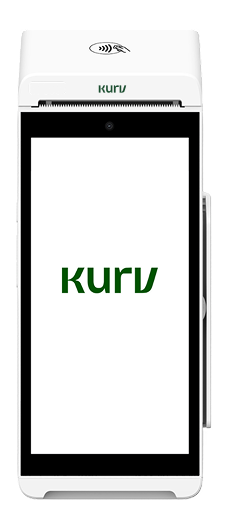
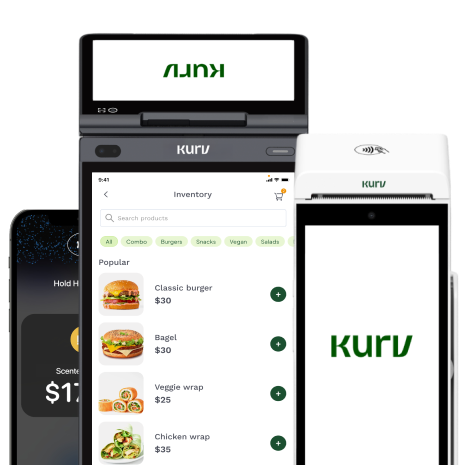
- Countertop or all-in-one terminal: A good choice for retail stores, restaurants, salons, and other businesses with a fixed checkout area. These terminals can accept taps, chip cards, and swipes.
- Handheld terminal or mobile reader: A portable option for restaurants taking payments at the table, stores helping customers on the sales floor, and businesses working at events or job sites. A Handheld Smart Terminal lets you bring the reader to the customer.
- Tap to Pay on a phone: If you have a compatible smartphone and the right payment app, you can accept contactless payments without extra hardware. It’s a great option for mobile businesses, small teams, or as a backup when your main terminal is down.
Once you’ve chosen a device, here’s how to get started:
- Set up a merchant account with a processor that supports contactless payments.
- Choose your device: a countertop terminal, handheld reader, or compatible phone with Tap to Pay.
- Check which payments it accepts. Make sure customers can tap cards, phones, and watches. If you’re using a terminal, check that it also accepts chip cards as a backup.
- Show customers they can tap. Display the contactless symbol at checkout so they know it’s an option.
- Test it before taking payments. Try a contactless card and a mobile wallet, then show staff what to do if a tap fails.
Final Thoughts
NFC payments have become common at checkout, and many customers now expect this quick, easy payment option. Once you understand how NFC payments work, you can choose the setup that best fits your business.
Start by checking whether your current equipment accepts contactless cards, phones, and watches. Keep chip payments available as a backup, and if your terminal doesn’t support tapping, an NFC-enabled terminal or using Tap to Pay on a compatible phone can help. Kurv offers many contactless payment options for U.S. businesses taking payments at the counter or on the go.
Ready to Grow Your Business?
Apply and start accepting payments within a day

Frequently Asked Questions
Do NFC payments cost businesses more to accept?
No, NFC payments typically don’t cost more than regular chip card payments. Customers aren’t charged extra for tapping, and businesses pay their usual processing fees. Since tapping counts as a card-present transaction, it can also cost less than keyed-in or online payments. Your overall rates will still depend on your processor and the type of card used, but with Kurv, we keep our pricing simple and transparent so you always know what you’re paying.
Do NFC payments work without an internet connection?
Your customer doesn’t need an internet connection to make NFC payments. However, your business’s payment terminal needs Wi-Fi or cellular service to process payments. While some systems can store transactions offline and run them once you’re back online, it carries a risk of declined cards, so it’s best to check with your provider before relying on offline processing.
Are NFC payments widely accepted in the U.S.?
Yes, contactless payments are now the norm at most U.S. checkouts. Nearly every modern payment terminal accepts contactless cards, phones, and wearables. While some retailers still use older swipe-or-chip equipment, most checkouts make it easy for customers to tap and go.

