







Looking to accept digital wallet payments? Your business needs a merchant account with a processor that supports digital wallets, plus a way to accept payments: a contactless terminal, a phone running Tap to Pay, or an online checkout.
In this guide, we walk you through how to accept digital wallet payments in your business. We’ll also cover the differences between popular wallets, the fees involved, plus what to do when a payment doesn’t go through.
Key Takeaways
- Payment terminals that accept contactless payments already accept digital wallets; you don’t need to sign up with Apple or Google for in-store payments.
- You can accept contactless payments in one of three ways: using a terminal that supports contactless payments, using Tap to Pay on a phone, or via a QR code.
- Regarding payment processing fees—Apple and Google don’t charge merchants when customers use their digital wallets; your costs will be subject to the fees associated with the cards that customers used.
- Venmo, Cash App, and Zelle work differently from Apple Pay and Google Pay, and don’t replace card acceptance.
- Digital payment methods like Tap to Pay and QR payments come with a Kurv merchant account at no extra cost.
What Are Digital Wallet Payments?
Digital wallet payments are card transactions executed from a smartphone, smartwatch, or browser using a secure token instead of the actual card number. The most common digital wallets in the US are Apple Pay, Google Pay, and Samsung Pay. There are also app-based wallets like PayPal and Venmo, which work differently; more on this later.
Since digital wallets use the customer’s underlying credit or debit card, transactions go through your payment processor just like regular card payments.
Digital wallets are now mainstream in the US. Capital One Shopping’s research puts usage at 58% of Americans as of 2025, and 20% of digital wallet users regularly leave home without a physical wallet.
How to Accept Digital Wallet Payments in 5 Steps
To accept a digital wallet payment, make sure your credit card terminal can accept contactless payments. If your processor doesn’t support them, find one that does, and set up a payment method, such as a contactless terminal, Tap to Pay on your phone, or an online checkout. Run a test transaction, then train your staff and inform customers that you accept digital wallets. Here’s a more detailed breakdown of that process:
1. Check whether you already accept them. If your existing payment terminal can accept contactless cards, it likely already supports mobile wallets. Look for the contactless symbol (four curved lines) on the terminal. You can also ask your processor whether contactless is supported and whether it’s enabled for your account. You don’t need a separate agreement with Apple or Google to accept their digital wallets, as your processor handles that.
2. Choose a processor that supports digital wallets. If your current payment processor doesn’t support digital wallets, you’ll need to find a new one. Look for a provider that offers a merchant account and supports a range of digital wallet payment options. Ask which wallets are supported, if digital wallet transactions come with additional fees, and whether Tap to Pay is included.
3. Pick how you’ll accept digital wallet payments. You have several options, including a contactless payment terminal, a phone with Tap to Pay, a QR code, or an online checkout. If you’re wondering how to accept NFC payments, you’ll need a compatible terminal or phone. NFC (near-field communication) is the technology that allows devices to exchange payment information when they’re held close together. It’s what powers contactless card payments and in-person wallet taps.
4. Enable digital wallet payments and run a test transaction. Follow your processor’s instructions to enable your payment method. Then, use your own phone to make a small test purchase. If the payment goes through, try issuing a refund to make sure that process works, too.
5. Tell customers and train your staff. Train your staff on accepting digital wallet payments. You should also inform customers that they can pay with their smartphone or watch by displaying Apple Pay and Google Pay signage at checkout.
Three Ways to Accept Digital Wallets in Person
There are three main ways to accept digital wallets at your physical store or in-person business. Here’s how they compare:
| Method | What You Need | Best For | Kurv Option |
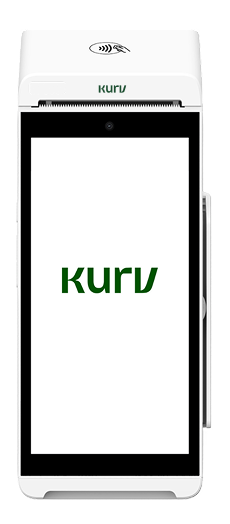
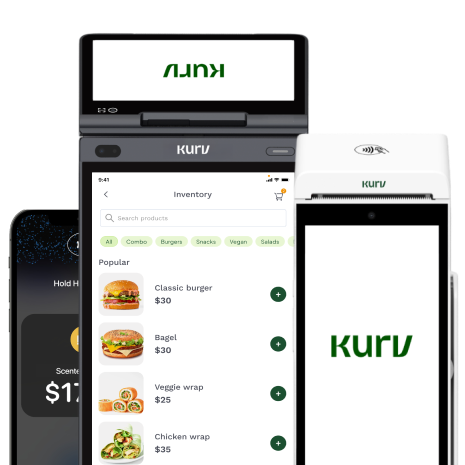
| Contactless terminal | A countertop or handheld NFC-enabled payment terminal that accepts digital wallets like Apple Pay and Google Pay. | Businesses with fixed checkout counters or high transaction volumes. | Kurv Handheld Smart Terminal or All-in-One Terminal. |
| Tap to Pay on your phone | A compatible iPhone or NFC-enabled Android phone with a payment app that supports Tap to Pay. | Mobile businesses, pop-ups, field service providers and line-busting. | Tap to Pay is built into the Kurv Merchant App at no extra cost. |
| QR code payment | A QR code linked to a payment page that supports digital wallets at checkout. | Tableside or curbside payments, or as a backup when tapping isn’t available. | QR code payments are included with a Kurv merchant account at no extra cost. |
Apple Pay, Google Pay, and Samsung Pay: What’s Different for Your Business?
Apple Pay, Google Pay, and Samsung Pay all let customers pay your business using cards stored on their phones or other compatible devices. Apple Pay shouldn’t be confused with Apple Cash. The former lets customers make purchases using cards in their Apple Wallet, while the latter is primarily used to send and receive money between people. You don’t need a separate setup for each digital wallet. If your business accepts contactless payments, you can generally accept all three using the same terminal or Tap to Pay-enabled phone. For most US businesses, supporting Apple Pay and Google Pay will cover the two major mobile ecosystems. Here’s how the different wallets compare:
| Wallet | Customer’s Device | In Store | Online | What’s Different |
| Apple Pay | Compatible iPhone, Apple Watch, iPad, or Mac. | Yes, through contactless terminals or Tap to Pay. | Yes, through supported websites, apps, and checkout providers. | Uses cards stored in Apple Wallet and authenticates payments using Face ID, Touch ID, or a passcode. |
| Google Pay | Compatible Android phones and watches; supported browsers. | Yes, through NFC-enabled devices. | Yes, through supported websites, apps, and checkout providers. | Google Wallet stores payment cards, while Google Pay is the payment method used to make purchases. |
| Samsung Pay | Compatible Samsung Galaxy phones and watches. | Yes, through NFC-enabled terminals. | Depends on the checkout provider and integration. | Samsung’s digital wallet app, with Samsung Pay enabling contactless payments on compatible Galaxy devices. |
| PayPal and Venmo | Smartphones, browsers, and supported apps. | Through supported merchant checkout options. | Yes, where offered by the merchant’s payment provider. | Generally require separate merchant support or integrations. |
A few other things to keep in mind:
- Online setup may differ. Accepting Apple Pay online typically involves merchant registration and domain verification, though your payment gateway or hosted checkout provider often handles these requirements. Google Pay can usually be enabled through a supported gateway.
- Google Pay and Google Wallet aren’t the same. Google Wallet is the app where Android users store their payment cards, while Google Pay is the payment service they use at checkout.
- Similarly, Samsung Wallet and Samsung Pay aren’t exactly the same thing. Samsung Wallet is the app that stores payment cards, IDs, and other digital items, while Samsung Pay is the payment service within the app that lets customers make purchases.
- Like Apple Pay and Google Pay, Samsung Pay works with NFC-enabled terminals.
Can your business accept Venmo, Cash App, or Zelle?
Yes, but these services work differently from Apple Pay and Google Pay. Apple Pay and Google Pay pass a card payment through your processor. Venmo, Cash App, and Zelle move money between accounts on their own networks, so those payments sit outside your processor’s reporting and deposit schedule.
Personal accounts on these apps generally aren’t meant for business sales, and business accounts carry their own fees:
Venmo business profiles are charged 1.9% + $0.10 on each payment of $1.00 or more from another Venmo account, and 2.29% + $0.10 on contactless payments accepted with Tap to Pay in Venmo.
Cash App deducts a 2.6% + $0.15 processing fee on each payment you receive from your customer’s Cash App account to your Cash App Business account.
Zelle supports small-business payments through participating financial institutions, with fees and eligibility varying by bank.
These services can be useful additional payment options, especially if your customers already use them. But they’re best used alongside traditional card acceptance rather than as a replacement.
How to Accept Digital Wallet Payments Online
If you sell products or services online, you can also accept digital wallet payments through your website, payment links, or invoices.
Here are three ways to accept digital wallets online:
- Use a payment gateway. Choose a payment gateway that supports digital wallets and enables Apple Pay or Google Pay buttons at checkout. Popular eCommerce platforms like Shopify, WooCommerce, and BigCommerce support wallet payments through compatible payment providers.
- Send a payment link. Use a hosted checkout page or payment link that supports digital wallets. Customers open the link and select their preferred payment method.
- Accept payments through invoices. Use invoicing software that lets them open an invoice on their phone and pay using a supported digital wallet.
Apple Pay Merchant Fees and Other Digital Wallet Costs
Apple and Google both confirm they don’t charge merchants additional fees for accepting payments through their digital wallets. Instead, digital wallet transactions are processed using the customer’s underlying credit or debit card, so you’ll pay your usual credit card processing fees.
The exact cost of accepting digital wallet payments depends on several factors:
- The credit or debit card linked to the customer’s wallet affects the transaction’s interchange fee.
- Your processor’s pricing mode, and whether you’re on a flat-rate, interchange-plus, or another pricing structure.
- How you accept the payment. In-person wallet taps are treated as card-present transactions and generally cost the same as tapping or inserting a physical card. Online wallet payments are typically priced as card-not-present transactions, which may carry higher fees.
As for hardware costs, you may not need to spend anything extra. If you already have a contactless terminal or a compatible phone with Tap to Pay, you can accept digital wallets without purchasing additional equipment.
Businesses can also explore dual pricing, which offers customers a lower price for paying in cash, to offset credit card processing costs.
Tell Customers and Train Your Staff
Once you’re ready to accept digital wallets, make sure customers know they can pay with their phones. Display Apple Pay and Google Pay signs at your entrance and checkout counter. Refer to these official resources for guidelines on how to do this:
If your Google Business Profile or Apple Business Connect listing lets you note accepted payment methods, add digital wallets there too. Beyond signage, give staff a short script. Teach them to say “Tap whenever you’re ready,” point to where the customer should hold their phone on the card reader, and know the backup when a tap fails (covered in the next section). For a first-time user, staff can explain the customer’s side: unlock the phone, double-click the side button, hold it near the reader, and wait for the on-screen confirmation.
When a Digital Wallet Payment Fails
Digital wallet payments are usually quick and straightforward, but sometimes a transaction doesn’t go through. Here’s a look at common issues and how to fix them.
| What Happens | Likely Cause | What to Do |
| Nothing happens when the customer taps their phone. | Contactless payments may be turned off, or the customer is holding their phone in the wrong spot. | Ask the customer to hold their phone near the terminal’s contactless symbol. If nothing happens, check whether contactless payments are enabled. |
| The phone displays the card, but the terminal declines the payment. | The customer’s card issuer may have declined the transaction. | Ask the customer to try another card in their digital wallet or use a different payment method. |
| The customer’s phone asks for Face ID or a passcode again. | The customer hasn’t completed the wallet’s authentication process. | Ask them to authenticate using Face ID, their fingerprint, or passcode. |
| Tap to Pay on your business phone isn’t working. | There may be an issue with NFC functionality or the payment app. On Android, device settings or the default wallet app may also interfere. | Check your payment app and device settings. |
| The customer’s phone battery is dead. | The phone may not have enough power to complete the payment. | Ask the customer to use a physical card or offer another option. |
A failed digital wallet payment doesn’t have to mean a lost sale. If tapping doesn’t work, customers can still insert their physical card or complete their purchase through a QR code payment or a payment link.
Refunds and Disputes on Digital Wallet Payments
Refunds and disputes on digital wallet payments work much like regular credit card transactions. Here’s what you need to know.
Issuing refunds: You can issue a refund through your payment terminal, payment app, or merchant portal, just as you would with a regular card payment. The money goes back to the credit or debit card linked to the customer’s digital wallet.
Finding the original transaction: One thing to keep in mind is that the last four digits on a digital wallet receipt may not match the customer’s physical card. That’s because wallets like Apple Pay and Google Pay use tokenization, which replaces the actual card number with a secure digital substitute. If you can’t find the transaction using the customer’s card number, try searching by date, amount, or receipt number. You may also be able to identify the transaction by having the customer present the same device they originally used.
Handling disputes and chargebacks: Digital wallet transactions follow the same card network rules as regular card payments, which means customers can still file a chargeback. While features like Face ID, fingerprint authentication, and passcodes help prevent unauthorized transactions, they don’t eliminate the possibility of disputes. Kurv offers built-in fraud prevention and chargeback prevention tools to help businesses reduce risk and manage payment disputes.
Accept Digital Wallet Payments With Kurv
Ready to accept Apple Pay, Google Pay, Samsung Pay, and other digital wallets? Kurv makes it easy with flexible payment options, including contactless terminals, Tap to Pay on your phone, and QR code payments.
Tap to Pay, QR payments, and a virtual terminal are included with every Kurv merchant account at no extra cost. You’ll also get transparent pricing, dual pricing options, built-in fraud and chargeback prevention, and a centralized portal to manage your transactions. Getting started is simple with Kurv’s streamlined application process and auto-approval for many low-risk businesses. Plus, you’ll have access to 24/7 US-based support in English and Spanish. Get started today.
Ready to Grow Your Business?
Apply and start accepting payments within a day

Frequently Asked Questions
Do I need a special terminal to accept digital wallets?
No. If your existing payment terminal supports contactless card payments, it should also accept digital wallets like Apple Pay and Google Pay. You can check by looking for the contactless symbol on your terminal. Alternatively, you can accept digital wallets without a dedicated terminal using Tap to Pay on a compatible smartphone.
Does Apple Pay charge merchants a fee?
No. Apple Pay and Google Pay don’t charge merchants additional fees for accepting digital wallet payments. Instead, transactions are processed using the customer’s underlying credit or debit card, so you’ll pay your usual processing rates.
Can I accept Apple Pay without a card reader?
Yes. You can accept Apple Pay without a separate card reader by using Tap to Pay on a compatible iPhone or NFC-enabled Android phone. You’ll need a payment app that supports the feature, such as the Kurv Merchant App, which includes Tap to Pay at no extra cost. Learn how to set up Tap to Pay on iPhone or Android.
Is Google Pay the same as Google Wallet?
No. Google Wallet is the app where customers store their payment cards, while Google Pay is the payment service used to complete transactions. For merchants, the distinction doesn’t affect in-store acceptance. If your terminal supports contactless payments, customers can use cards stored in Google Wallet to pay through Google Pay.
Can my business accept Venmo or Zelle instead?
You can accept Venmo or Zelle as additional payment options, but they aren’t direct replacements for credit card acceptance. These services have different business-use requirements, fees, and reporting processes. Personal accounts may also restrict commercial transactions, so check each provider’s terms before accepting customer payments.
Are digital wallet payments safe for my business?
Yes. Digital wallets use tokenization, which replaces the card number with a device-specific stand-in, so your business never receives the actual card number. Customers also confirm each payment on their device with Face ID, a fingerprint, or a passcode. No payment method is risk-free, but these layers make stolen card data much harder to use.
What are the downsides of accepting digital wallets?
The main downsides are equipment compatibility, processing fees, and limited customer adoption. Older terminals may need to be replaced if they don’t support contactless payments, and standard card processing fees still apply. Digital wallet transactions can also be disputed, just like regular card payments. Plus, some customers still prefer paying with physical cards or cash.
Can a customer dispute a digital wallet payment?
Yes. Customers can dispute digital wallet payments just as they would regular credit or debit card transactions. Because Apple Pay and Google Pay use the underlying card networks, the same chargeback rules generally apply. While device authentication helps prevent unauthorized payments, it doesn’t eliminate disputes over purchases, refunds, or services.

