







An mPOS turns a smartphone, tablet, or handheld device into a portable register that can accept card payments wherever you do business. Mobile point-of-sale systems (mPOS for short) give merchants the flexibility to take payments at pop-ups, markets, customer locations, or even different spots in the store. But is a mobile point-of-sale system the right fit for how you sell?
This 2026 guide covers how mPOS works, how it compares to a traditional POS system, the different types available, and the benefits and limitations to consider. We’ll also look at the equipment and software you need, key security considerations, and what to look for when choosing an mPOS system.
Key Takeaways
- mPOS stands for mobile point of sale. It lets businesses accept in-person payments using a smartphone, tablet, or other portable device.
- The main difference between POS and mPOS is mobility. Traditional POS systems typically operate from a fixed checkout station, while mPOS systems let you take payments on the go.
- mPOS can make selling more flexible and affordable, as businesses can accept payments in more places with less hardware. That said, these systems depend on factors like connectivity and battery life.
- To securely accept payments with an mPOS system, look for a PCI-compliant platform that encrypts payment data and implements additional safeguards to protect transactions.
- The right mPOS depends on your business, so compare pricing, security, features, hardware requirements, and funding speed before choosing a provider.
What Is a Mobile Point of Sale (mPOS)?
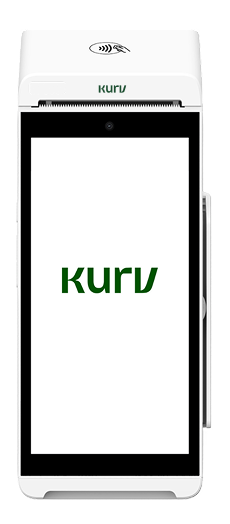
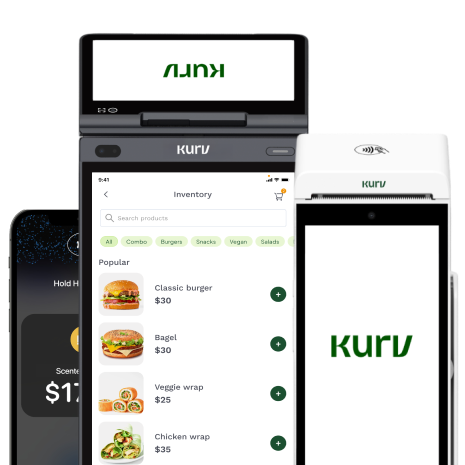
An mPOS, or mobile point of sale, is a device or app that lets businesses accept card payments on a mobile device rather than at a stationary countertop terminal. mPOS systems can come in various forms, including a phone or tablet paired with a card reader, an all-in-one handheld terminal, or a smartphone that accepts contactless payments via an app.
Federal Reserve data shows just how mainstream mobile payments have become: mobile wallet payments reached 14.4 billion transactions in 2022, and 55.9% of mobile wallet purchases were made in person at merchant terminals. So, what actually happens after a customer pays? Here’s how an mPOS processes a transaction from start to finish.
How Does an mPOS Work?
An mPOS works much like a traditional payment terminal, but the transaction is facilitated on a mobile payment device. When a customer taps, inserts, or swipes their card, the mPOS securely captures the payment information and sends it to the payment processor and card network for authorization. Authentication, such as a contactless tap, chip verification, or PIN entry, occurs as part of this process. Once the transaction is approved, the sale is completed, and the funds are ultimately settled into the merchant’s account. The payment process may be similar to a traditional POS, but the hardware and where you can use it are quite different. Next, we’ll look at how POS and mPOS systems compare.
POS vs mPOS: What’s the Difference?
The main difference between a POS and an mPOS is where and how you can use it. A traditional point-of-sale (POS) system typically operates from a fixed checkout station, while an mPOS runs on a portable device, such as a smartphone, tablet, or handheld terminal.
Both POS and mPOS systems can process in-person payments, but their hardware requirements, costs, and ideal use cases differ. If you’re a merchant with a dedicated cash wrap and prefer a solid checkout counter, then a countertop POS system is a better fit. On the other hand, if you’re a merchant who needs to be more mobile or does business on the go, an mPOS would be a better fit.
| Traditional POS | mPOS | |
| Form factor | Fixed countertop station | Smartphone, tablet, or handheld device |
| Cost | Typically, higher upfront hardware costs | Typically, lower upfront hardware costs |
| Mobility | Designed to stay in one location | Portable and designed for mobile selling |
| Best for | Fixed-location businesses with dedicated checkout areas | Mobile sellers, pop-ups, service businesses, and retailers that need flexible checkout |
| Hardware needed | May include a terminal, monitor, cash drawer, receipt printer, and card reader | Phone or tablet, sometimes paired with a card reader or a handheld wireless terminal |
Of course, mPOS isn’t a single setup type. Businesses can choose from several options depending on how and where they need to accept payments.
What Are the Different Types of mPOS?
The right type of mPOS system depends on your needs and preferences. Consider the following.
Smartphone or tablet with a card reader
This setup pairs an mPOS app on your smartphone or tablet with a card reader that connects via Bluetooth or another wireless connection. The reader lets customers tap or insert their cards, while the app handles the transaction and other functions. This option can work well for businesses that only need mobile payment capabilities occasionally, such as retailers running pop-ups or service providers who sometimes take payments in the field.
All-in-one handheld mPOS
An all-in-one mPOS combines the payment hardware and software into a single portable device. Depending on the system, it may also include features such as receipt printing, inventory management, and sales reporting. These devices tend to make more sense for businesses that rely heavily on mobile checkout, such as restaurants taking payments tableside or merchants that regularly sell away from a traditional checkout counter.
Tap-to-Pay on a smartphone
Tap-to-Pay turns a compatible smartphone into a contactless payment terminal, accepting cards and digital wallets without any additional hardware. All customers have to do is tap their card, phone, or wearable device on the merchant’s smartphone, and their payment should go through. For merchants who want to keep their setup simple, Tap-to-Pay can be an easy entry point into mPOS because there’s no additional payment hardware to carry or purchase.
| Type of mPOS | How it works | Best for | Extra hardware needed? |
| Smartphone or tablet + card reader | An mPOS app runs on a phone or tablet and connects to a card reader, typically wirelessly. | Occasional mobile sellers, pop-ups, market vendors, and service providers | Yes, a compatible card reader |
| All-in-one handheld mPOS | Payment hardware and software are combined into a single portable device, sometimes with added POS features. | Restaurants, mobile businesses, and merchants that regularly take payments away from a checkout counter | No separate phone or card reader |
| Tap-to-Pay on a smartphone | A compatible phone accepts contactless cards and digital wallets directly through an mPOS app. | Merchants looking for a simple, low-hardware way to accept payments on the go | No additional payment hardware |
Whichever setup you choose, the appeal of mPOS comes down to greater flexibility at checkout. But mobility isn’t the only advantage. Here’s a closer look at the benefits mPOS can offer.
What Are the Benefits of mPOS?
For many businesses, the biggest benefit of mPOS is flexibility. Instead of bringing every customer to a fixed checkout counter, you can bring the checkout experience to them. Here are some of the key advantages.
Sell from almost anywhere
Because mPOS systems run on portable devices, you can accept payments beyond a traditional cash wrap. That’s why they’re so popular among food trucks, pop-ups, events, and service calls. They’re also an ideal choice for retailers that want to check out customers from different areas of the store.
Lower your upfront hardware costs
An mPOS can reduce the amount of equipment you need to start accepting payments. If you’re using the mPOS system, you likely won’t have to invest in a full countertop setup. You may also be able to use a smartphone or tablet you already own, along with a card reader. With Tap-to-Pay, you may not need additional payment hardware at all.
Speed up checkout and shorten lines
mPOS devices let you add checkout points without adding more traditional registers. During busy periods, employees can take payments from customers in line or complete transactions from anywhere on the sales floor. This can help reduce wait times and keep customers moving.
Create a more convenient customer experience
A portable checkout gives customers more options for where and how they pay. Restaurant guests can pay at the table, for example, while retail shoppers can complete a purchase without walking back to the cash wrap. These things create a more convenient shopping experience for customers and contribute to a positive perception of your business.
What are the disadvantages of mPOS?
mPOS isn’t the best fit for every situation. Since these systems rely on mobile devices, merchants need to consider internet connectivity and battery life. A dead phone or an unreliable connection could prevent you from accepting payments.
mPOS may also be less practical as the primary checkout solution for very high-volume, fixed-location businesses that need multiple peripherals or more robust hardware at every register. In those cases, a traditional POS or a combination of POS and mPOS systems might make more sense. If the benefits outweigh the limitations for your business, the next question is what you actually need to get an mPOS up and running.
What Equipment and Software Do You Need for mPOS?
So, what hardware and software do you need for a good mPOS setup? The short answer: not much.
The basic mPOS setup typically includes:
- A compatible smartphone or tablet: This is the device you’ll use to run your mPOS software and manage transactions.
- An mPOS app or platform: The software connects your device to a payment processor so you can securely accept and process transactions
- A card reader: Many mPOS systems pair with a small reader that accepts contactless and chip payments. The reader may connect to your phone or tablet wirelessly or through a physical connection.
A card reader isn’t always necessary, though. With Tap-to-Pay, supported smartphones can accept contactless cards and digital wallets directly, so there’s no need for separate payment hardware.
Beyond these basics, other equipment you need will depend on how you run your business. For example, you may want a receipt printer or other POS accessories if you’re using mPOS as a more permanent checkout solution. Whatever setup you choose, you’ll handle sensitive payment information, making security an important consideration when evaluating any mPOS system.
Is mPOS Safe? Security and Compliance
Yes, mPOS can be a safe and secure way to accept payments, provided you use a PCI-compliant platform that encrypts card data and follows industry security standards. Reputable mPOS systems typically rely on several layers of protection, including:
- Encryption: Scrambles payment information as it’s transmitted, helping prevent unauthorized parties from reading card data.
- Tokenization: Replaces sensitive card details with a unique token that has no usable value if intercepted or stolen.
- PCI DSS compliance: The Payment Card Industry Data Security Standard (PCI DSS) sets security requirements for businesses and providers that handle payment card information.
These safeguards are particularly important with mPOS because payments are being accepted through mobile devices rather than a traditional countertop terminal. Merchants still have responsibilities for protecting devices, accounts, and customer data, so it’s important to choose an mPOS provider that takes payment security seriously. Security is just one consideration, though. Pricing, features, hardware, and funding speed can also determine whether an mPOS system is right for your business.
How to Choose an mPOS System
Where you sell, the payment types you accept, and your budget are just some of the factors you should consider when shopping around for an mPOS system. Before committing to a provider, compare your options using the following criteria.
- Look for transparent pricing. Make sure you understand how you’ll be charged for payment processing. Some providers use flat-rate pricing, while others offer interchange-plus or other pricing models. Look beyond the headline transaction rate and check for monthly fees, hardware costs, PCI fees, chargeback fees, and other expenses.
- Evaluate security and PCI compliance. Find out how the provider protects payment data and what you’ll need to do to remain PCI compliant. Look for safeguards such as encryption and tokenization, and ask whether the provider offers tools or guidance to simplify your PCI responsibilities.
- Consider the features you actually need. Payment acceptance may be the starting point, but your mPOS could also support invoicing, inventory management, sales reporting, digital receipts, tipping, customer management, and integrations. Prioritize the features you’ll use rather than paying for a more complex system than you need.
- Choose hardware that fits how you sell. Think about where you’ll take payments and how frequently you’ll use the system. A small card reader paired with a phone may be enough for occasional mobile sales, while a handheld terminal could be better for daily use. If you only need to accept contactless payments, Tap-to-Pay may eliminate the need for additional hardware.
- Check funding speed. Processing a sale and receiving the money aren’t the same thing. Compare how quickly each provider deposits funds into your bank account and whether faster or same-day funding comes with an additional fee.
- Look at payment method support. Make sure the system accepts your customers’ preferred payment options and methods, including major credit and debit cards, contactless cards, and digital wallets.
- Consider connectivity and offline capabilities. If you sell at markets, events, job sites, or other places where internet access can be unreliable, check what happens when your connection drops. Some systems offer offline payment functionality, but the way those transactions are stored, authorized, and processed later can vary.
- Check compatibility with your existing technology. If you already use accounting, eCommerce, inventory, CRM, or other business software, check the available integrations. Ideally, the mPOS system you choose would fit into your existing tech stack. That way, you can reduce manual data entry and make it easier to keep information consistent across channels.
- Think about scalability. Your needs today may be relatively simple, but consider what happens if you add employees, locations, devices, or sales channels. Check whether you can easily add users and hardware without having to replace your entire setup.
- Evaluate customer support. Payment issues can stop a sale in its tracks, so look closely at when and how support is available. Consider whether you can reach a real person by phone, chat, or email; whether support is U.S.-based, if that’s important to you; and whether help is available during the hours you actually sell.
There’s no single mPOS system that’s best for every merchant. The strongest choice is one that matches how you operate today while giving you enough flexibility to support where your business is headed.
Final Thoughts
mPOS has come a long way from being a niche option for businesses that occasionally sell on the go. For merchants that operate in multiple locations, attend events, make sales in the field, or want more flexibility at checkout, mobile payment acceptance can be a practical part of everyday operations.
The right setup ultimately comes down to how and where you sell. For many small and mobile businesses, a phone-based mPOS with Tap-to-Pay offers a simple starting point, especially if you want to accept payments without investing in additional hardware. Kurv offers a mobile-first option through the Kurv Merchant App, giving merchants another way to accept payments wherever business takes them.
Ready to Grow Your Business?
Apply and start accepting payments within a day

Frequently Asked Questions
What does mPOS stand for?
mPOS stands for mobile point of sale. It refers to mobile devices and payment software that allow merchants to accept payments without relying on a fixed checkout terminal.
What is the difference between a POS and an mPOS?
A traditional POS typically operates from a fixed checkout station, while an mPOS uses a portable device such as a smartphone, tablet, or handheld terminal. See the POS vs. mPOS comparison above for a closer look at the differences.
Is an mPOS secure?
Yes, an mPOS can be secure when it uses a PCI-compliant payment platform and protects card information through measures such as encryption and tokenization. Merchants should also follow their provider’s security requirements and keep their devices and accounts protected.
What are the disadvantages of an mPOS?
mPOS systems depend on mobile devices, so battery life and internet connectivity can affect your ability to take payments. They may also be less suitable as a primary checkout solution for very high-volume, fixed-location businesses that need robust hardware and multiple peripherals.
Can I use my phone as an mPOS?
Yes. You can turn a compatible smartphone into an mPOS by pairing it with a card reader or using Tap-to-Pay to accept contactless payments directly on the phone. The Kurv Merchant App, for example, provides merchants with a mobile option to accept payments.
What equipment do I need to start accepting mobile payments?
At minimum, you’ll typically need a compatible smartphone or tablet and an mPOS app that connects to a payment processor. Some setups also require a card reader, while Tap-to-Pay can accept contactless payments directly on supported smartphones without additional payment hardware.

