



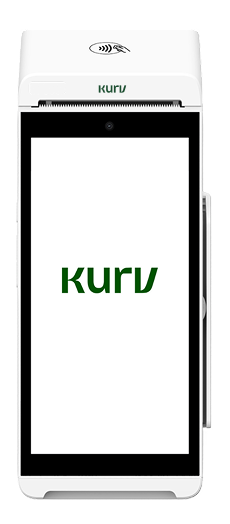
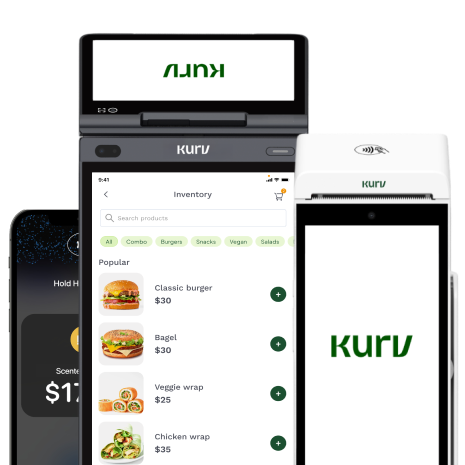




A credit card reader, i.e., a small device that merchants use to accept and facilitate credit card payments in person, is a must-have for modern businesses. Credit cards are the most popular mode of payment today, with more than $11 trillion in card purchase volume flowing across the major U.S. networks annually, spanning credit, debit, and prepaid cards.
As such, understanding how card readers work is foundational to accepting payments. This article will give you the info you need to fully grasp the ins and outs of credit card readers. We’ll cover how they work, the different types of readers in the market, how to keep transactions secure, and how to choose the right one for your business.
Key Takeaways
- A credit card reader captures a customer’s card data and securely sends it to a payment processor for authorization; the reader itself doesn’t approve the payment or move money.
- Modern card readers typically accept three payment methods: swipe (magstripe), dip (EMV chip), and tap (contactless/NFC).
- A card reader is different from a credit card terminal or POS system: readers typically connect to another device, terminals operate independently, and POS systems combine payments with broader business tools.
- Secure payment setups use safeguards such as PCI DSS compliance, encryption, and tokenization. EMV and contactless payments also offer stronger protection than magstripe, which is more susceptible to skimming.
- The best reader depends on where and how you accept payments. Some businesses may not need dedicated hardware at all, since Tap to Pay can turn a compatible smartphone into a contactless payment device.
What Is a Credit Card Reader?
A credit card reader is a device that captures a customer’s card information so a business can accept an in-person payment. The reader securely collects the card data and sends it to a payment processor for authorization; it doesn’t approve the transaction or move money itself. Depending on the card and device, customers can provide their payment information in three main ways, which we will go over in more detail below.
The interaction at checkout takes only a few seconds, but behind the scenes, several steps occur among the card reader, the payment processing company, the card network, and the banks. The following section takes a closer look at how the process works.
How Does a Credit Card Reader Work?
A credit card reader serves as the starting point in a larger credit card payment process that involves multiple parties in the payment ecosystem.
Here’s how it works:
1. The customer swipes, dips, or taps their card. The cardholder presents their payment method to the merchant by swiping a magnetic stripe, inserting an EMV chip card, or tapping a contactless card or mobile wallet.
2. The reader captures and encrypts the payment data. The credit card reader collects the information needed to process the transaction and encrypts it before sending it onward. Encryption converts sensitive information into an unreadable format while it travels between systems, helping prevent card details from being exposed in transit. Many payment systems also use tokenization, which replaces sensitive card information with a unique, non-sensitive token.
3. The payment data goes to the payment processor. The encrypted transaction information is sent to the merchant’s payment processor, which acts as a link between the business and the financial institutions involved in the transaction.
4. The processor requests authorization. The processor routes the request through the appropriate card network—such as Visa, Mastercard, American Express, or Discover—and ultimately to the issuing bank, which is the bank or financial institution that issued the customer’s card. The issuing bank checks factors such as whether the card is valid and whether sufficient credit or funds are available.
5. The transaction is approved or declined. The issuing bank aka, the card issuer, sends its decision back through the card network and processor to the merchant. If approved, the reader or connected point-of-sale system lets the merchant know the sale can proceed.
6. The funds are settled. Approval doesn’t mean the money immediately lands in the business’s bank account. During settlement, funds move from the issuing bank to the merchant’s acquiring bank, also known as the merchant bank. The proceeds are then deposited into the merchant’s designated bank account in accordance with the payment provider’s payout schedule.
These steps happen at an enormous scale. According to the latest Federal Reserve triennial payments study, the number of noncash payments made by consumers and businesses reached 236.6 billion in 2024, more than triple the 2000 total. “Cards once again were used most frequently, accounting for over three quarters of payments by number,” reports the Fed, adding that “Debit cards continued to account for the majority of all card payments, although credit card payments grew faster than debit card payments for the first time in almost a decade.” The reader is where all of this begins, and not every reader is built the same. The right one depends on how and where you do business.
Types of Credit Card Readers
There are various types of credit card readers on the market, and the right one depends on where and how your business accepts payments.
Here are the main types of credit card readers and the situations they’re best suited for:
Countertop terminals (best for brick-and-mortar businesses with a fixed checkout area)
Countertop terminals remain in one place and are commonly used at businesses with a fixed checkout counter. These include retail stores, restaurants, salons, and other businesses that dedicate a specific location for checkout. Countertop card readers typically connect via WiFi or Ethernet and can accept multiple payment methods, including EMV chip cards, contactless payments, and magstripe cards when needed.
Mobile and handheld card readers (best for businesses that take payments on the go or away from a checkout counter)
Mobile card readers give merchants more flexibility in where they accept payments. Some are compact readers that connect to a smartphone or tablet via Bluetooth, while all-in-one handheld terminals combine the reader, screen, and payment software in a single portable device. These readers can be useful for mobile service providers, pop-up sellers, and restaurants offering tableside payments. Brick-and-mortar businesses can also use handheld devices to bust lines during busy periods.
Tap to Pay on a phone (best for businesses that want to accept contactless payments without additional hardware)
Tap to Pay technology turns a compatible iPhone or Android device into a contactless payment acceptance device. If you’re using Tap to Pay technology, you won’t have to connect to a separate card reader; you can accept supported contactless cards and mobile wallets directly on your phone. This can be a convenient option for mobile businesses, occasional sellers, or merchants that want a lightweight way to accept in-person payments. The tradeoff is that Tap to Pay is designed for contactless transactions, so businesses that need to accept physical chip or magstripe cards may still need a dedicated reader.
Virtual terminals (best for businesses taking payments over the phone or by mail)
A virtual terminal isn’t a physical card reader; it’s a browser-based interface that allows a merchant to manually enter a customer’s card information and process a card-not-present transaction.
Virtual terminals are commonly used for phone and mail orders, as well as other situations where the customer and their physical card aren’t present. Because the card isn’t physically read, these transactions work differently from a traditional swipe, dip, or tap at checkout.
Magstripe and swipe-only readers (best for legacy payment setups)
Magstripe readers capture payment information when a customer swipes the magnetic stripe on the back of a card. Small dongles that plug into a phone were once a common way for businesses to accept mobile card payments. Swipe-only readers are now considered legacy technology as the payments industry shifts toward more secure EMV chip and contactless transactions. Businesses choosing new hardware should generally look for devices that support modern payment methods rather than relying solely on magstripe.
| Reader type | Best for | Typical connectivity | Payment methods |
| Countertop terminal | Fixed, in-store checkout | Ethernet or WiFi | Swipe, dip, tap |
| Mobile/handheld reader | On-the-go, tableside, line-busting | Bluetooth, WiFi, or cellular | Swipe, dip, tap |
| Tap to Pay on phone | Lightweight or occasional in-person payments | Phone’s internet connection | Contactless cards and mobile wallets |
| Virtual terminal | Phone and mail orders | Internet/browser | Manually entered card details |
| Magstripe reader | Legacy setups | Wired or Bluetooth | Swipe |
The hardware may differ, but most modern physical readers operate on the same three methods of capturing card information: swipe, dip, and tap. In the next section, we’ll differentiate and compare these methods to help you better understand them.
Swipe vs. Dip vs. Tap — The Payment Methods Behind Every Reader
Card swiping, dipping, and tapping all initiate the authorization process. That said, each method differs in how card data is transmitted and in the level of security it provides.
Magstripe (swipe)
With a magstripe transaction, the customer swipes the magnetic stripe on the back of their card through the reader. The stripe contains payment information that the reader captures and sends for processing. The main drawback is security. Magstripe cards rely on static card data, meaning the information stored on the stripe doesn’t change from one transaction to the next. If that data is stolen (for example, through a card skimmer), it can potentially be copied and used to create a counterfeit card.
EMV chip (dip)
EMV stands for Europay, Mastercard, and Visa, the three companies that originally developed the chip-card standard. With an EMV transaction, the customer inserts or “dips” their card into a compatible reader so the card’s embedded chip can communicate with the device. Unlike a magnetic stripe’s static information, an EMV chip generates a unique, one-time code for each transaction. That dynamic authentication makes stolen transaction data much less useful for creating counterfeit cards because the same code can’t simply be reused for another purchase.
There’s also an important liability consideration for merchants. On October 1, 2015, the U.S. implemented an EMV counterfeit-fraud liability shift. Under Visa’s rules, when a chip card is presented but a merchant uses a magstripe-only terminal instead of chip technology, the merchant generally bears liability for a resulting counterfeit transaction. When a chip card is properly processed through an activated chip-enabled terminal, that counterfeit-fraud liability generally remains with the issuer.
Contactless / NFC (tap)
Contactless payments allow customers to hold a compatible card, smartphone, or wearable device near the reader rather than inserting or swiping it. The transaction uses near-field communication (NFC), a short-range wireless technology that securely exchanges payment information between the customer’s payment method and the reader.
This is also the technology behind mobile-wallet payments such as Apple Pay and Google Pay. Mobile wallets can add another layer of protection through tokenization, replacing sensitive information with a unique token. That means the merchant doesn’t need to receive the customer’s actual card number to process the payment. Like EMV chip transactions, contactless card payments can also generate unique transaction data rather than relying solely on reusable static information. As such, tap payments are more resistant to counterfeiting than traditional magstripe transactions.
| Payment method | How the customer pays | Relative security | Status |
| Magstripe (swipe) | Swipe the magnetic stripe through the reader | Lower — relies on static card data | Legacy |
| EMV chip (dip) | Inserts the chip into the reader | High — generates unique transaction data | Standard |
| Contactless/NFC (tap) | Taps a card, phone, or wearable near the reader | High — uses dynamic transaction security and may use tokenization | Growing |
Knowing the methods helps, but readers are often confused with two other terms—terminals and POS systems.
Card Reader vs. Credit Card Terminal vs. POS System
The terms card reader, credit card terminal, credit card machine, and POS system are sometimes used interchangeably, but they refer to different parts of a business’s payment setup.
A credit card reader is typically a compact, mobile device that connects to an external device, such as a smartphone, tablet, or computer. The reader captures the customer’s card information, while the connected device and payment app provide the interface for processing the transaction.
A credit card terminal, also commonly called a credit card machine, is a standalone payment device. Unlike a reader, it doesn’t need to connect to a separate phone, tablet, or computer to operate. Terminals typically have their own screen and built-in connectivity, and some also include features such as a keypad and receipt printer.
Then there’s the point-of-sale (POS) system, which is broader than either of these devices. Generally, these solutions (especially all-in-one POS systems) combine payment hardware with software for managing checkout and other areas of the business. Depending on the system, that can include inventory management, employee management, sales reporting, and other operational tools in addition to accepting payments.
| Credit card reader | Credit card terminal | POS system | |
| What it is | Compact payment device | Standalone payment device | Hardware and software system |
| Needs another device? | Usually, yes | No | Varies by setup |
| Primary purpose | Capture card payments | Process payments independently | Manage checkout and broader business operations |
| Best suited for | Mobile and flexible payment setups | Dedicated checkout environments | Businesses that need payments plus operational tools |
So, which do you need? Again, that all depends on your needs and on where and how you take payments. Solo sellers and mobile businesses may only need a card reader or Tap to Pay on a phone. In contrast, retailers with multiple checkout stations and more complex operational needs will typically benefit from a full POS system.
Whatever setup you choose, accepting card information also means protecting it. That brings us to another important consideration: how secure are credit card readers?
Are Credit Card Readers Secure?
Yes, credit card readers, particularly those that support EMV chip and contactless payments and meet current security standards, are generally secure. That being said, the level of security a card reader provides depends not only on the device itself, but also on the payment technology and processor behind it.
These are the safeguards that card readers have in place to protect card data.
- PCI DSS compliance. The Payment Card Industry Data Security Standard (PCI DSS) establishes requirements for businesses and payment providers that store, process, or transmit payment account data. These requirements provide a baseline for protecting cardholder information throughout the payment environment.
- Encryption. End-to-end or point-to-point encryption protects card information as it travels from the payment device through the processing environment. With a validated point-to-point encryption (P2PE) solution, account data is encrypted from the point of card acceptance until it reaches a secure environment for decryption, rendering intercepted information unreadable.
- Tokenization. Tokenization replaces sensitive card information with a substitute value, or token. The token can be used to facilitate a transaction without exposing the customer’s underlying card number to the merchant.
The way a customer pays also affects security. EMV chip and contactless transactions are generally more secure than magstripe transactions because EMV technology generates a one-time security code for each transaction. That code can’t simply be captured and reused for another purchase.
Magnetic stripes, by contrast, contain static information, making copied card data more useful to fraudsters. This difference is particularly important when it comes to card skimming. Skimming occurs when a fraudulent device is placed on or inside a legitimate payment device to capture card information. Magstripe transactions are especially vulnerable because the information stored on the stripe can potentially be copied and used to create a counterfeit card. A legitimate, reputable card reader isn’t designed to “clone” cards; the risk comes from tampered hardware or fraudulent devices that capture payment data.
The good news for merchants is that much of this security doesn’t need to be managed manually. A reputable payment provider should build protections such as PCI compliance, encryption, tokenization, and fraud monitoring into its payment environment. Kurv, for example, is PCI DSS compliant and offers built-in fraud prevention tools, including transaction monitoring and risk analysis, as well as tools to help merchants prevent and manage chargebacks.
How to Choose a Credit Card Reader for Your Business
In the market for a credit card reader? These are the steps you should take to find and choose the right one for your business.
- Start with your payment processor. Not every card reader works with every payment processor, so check which devices your provider supports before purchasing hardware. This can help you avoid investing in a reader that won’t work with your merchant account or payment software.
- Match the reader to your setting. Think about where you typically accept payments. A brick-and-mortar retailer with a fixed checkout may benefit from a countertop setup, while restaurants and service businesses may prefer portable or handheld readers. Mobile sellers may need only a compact reader or smartphone-based option.
- Check which payment methods it accepts. Ideally, a modern reader should support swipe, dip, and tap so customers can pay with magstripe, EMV chip, contactless, and compatible mobile wallets. Supporting multiple methods also gives you flexibility as payment preferences continue to evolve.
- Consider connectivity. Check whether the reader uses WiFi, Bluetooth, cellular data, or a combination of these. If you take payments at events, customer locations, or other places where internet access can be unreliable, find out whether the device supports offline payments and how those transactions are handled.
- Separate hardware costs from processing fees. The price of the reader is only one part of what you’ll pay to accept cards. Ask about both the upfront and recurring hardware costs and the credit card processing fees charged on transactions, along with any monthly, software, or other fees that may apply.
- Confirm the security protections. Look for PCI-compliant solutions and ask about the protections built into the payment environment, such as encryption, tokenization, EMV support, and fraud prevention tools.
- Look beyond the hardware. Your experience also depends on the provider behind the reader. Aside from the device’s features, consider factors such as customer support, payout speed, hardware reliability, and contract terms.
Do You Need a Card Reader to Accept Card Payments?
No, you don’t necessarily need a dedicated card reader to accept in-person card payments. With Tap to Pay, compatible iPhones and Android devices can accept contactless cards and mobile wallets directly, without additional payment hardware.
For businesses that only take occasional or mobile payments, that may be all that’s needed. A dedicated reader or terminal still makes sense if you:
- Process a high volume of in-person transactions.
- Operate from a fixed countertop or checkout station.
- Need features such as receipt printing.
- Want to accept EMV chip (dip) or magstripe (swipe) payments in addition to contactless payments.
The Bottom Line
A credit card reader captures card data via swipe (magstripe), dip (EMV chip), or tap (contactless NFC) and sends it to a payment processor for authorization; it doesn’t approve transactions or move money itself. Remember that a card reader connects to another device, a credit card terminal operates independently, and a POS system combines payments with broader business tools. The right setup ultimately depends on where and how you accept payments, whether that’s at a countertop, on the go, or only occasionally. And with Tap to Pay, some businesses may not need extra hardware at all. If you’re exploring your options, learn more about Kurv’s in-person payment solutions.
Ready to Grow Your Business?
Apply and start accepting payments within a day

Frequently Asked Questions
What is a credit card reader?
A credit card reader is a device that captures payment information from a customer’s card and sends it to a payment processor for authorization.
How does a credit card reader work?
The customer swipes, dips, or taps their card, and the reader securely captures and encrypts the payment data before sending it to the payment processor. The request travels through the card network to the issuing bank for approval or rejection, and the decision is returned to the merchant within seconds. Approved transactions are later settled and deposited into the merchant’s bank account.
What is an EMV card reader?
An EMV card reader accepts cards with embedded chips. EMV stands for Europay, Mastercard, and Visa, and the technology generates unique transaction data each time a chip card is used, making it more secure against counterfeiting than traditional magstripe payments.
Is a card reader the same as a POS system or a credit card terminal?
No. A card reader typically captures payment data while connected to another device, while a credit card terminal is a standalone device that can process payments independently. A POS system is broader, combining payment functionality with tools such as inventory and employee management, as well as reporting.
Are credit card readers secure? Can one be skimmed?
Modern credit card readers use protections such as PCI DSS compliance, encryption, and tokenization to safeguard payment information. Magstripe cards are more vulnerable to skimming because they contain static data, while EMV and contactless transactions use more secure technology. Legitimate card readers aren’t designed to clone cards, though criminals can sometimes attach skimming devices to compromised payment hardware.
Do you need WiFi or an internet connection to use a card reader?
Most card readers need an internet connection, such as WiFi or cellular data, to authorize transactions in real time. Some devices support offline or store-and-forward payments when a connection isn’t available, but availability and how these transactions are handled vary by device and payment provider.
Can you accept card payments without a card reader?
Yes. Tap to Pay allows compatible smartphones to accept contactless cards and mobile wallets without additional hardware. A dedicated reader may still be preferable for businesses that need to accept swipe or dip payments or process a high volume of transactions.
How much does a credit card reader cost, and how fast do I get paid?
Credit card reader costs vary by device and provider, and hardware costs should be considered separately from transaction processing fees. Once a payment is processed, payouts typically reach the merchant’s bank account within one to two business days, although timing varies by payment provider.

