





A contactless payment is a transaction where a customer taps a card, phone, or watch near a payment reader instead of swiping, inserting a card, or paying with cash. It works using near-field communication (NFC), a short-range wireless technology that exchanges payment information over just a few centimeters, typically in about a second.
For customers, that means a faster, simpler way to pay. For businesses, accepting contactless payments comes down to having the right technology in place. We’ll explore how contactless payments work, what they mean for merchants, and what you need to start accepting them.
Key Takeaways
- Contactless payments let customers pay by tapping a card, phone, or wearable near a compatible payment reader, rather than inserting or swiping a card.
- Contactless payments are protected by a one-time security code generated for each transaction, and mobile wallet payments add tokenization, so the customer’s actual card number isn’t shared with the merchant or terminal.
- Accepting a contactless payment doesn’t cost more than accepting a chip payment. Both are processed as card-present transactions, so tapping itself doesn’t add an extra processing fee.
- Many businesses already have the hardware needed to accept contactless payments. Modern EMV terminals often support contactless transactions, though the feature may need to be enabled or promoted at checkout.
- Tap to Pay can turn a compatible NFC-enabled smartphone into a payment terminal, allowing businesses to accept contactless payments without purchasing a separate card reader.
What Is a Contactless Payment?
A contactless payment is a card-present transaction completed by holding a contactless-enabled card, smartphone, or wearable near a compatible payment reader. The card or device communicates with the reader wirelessly using near-field communication, allowing the customer to pay without physically inserting or swiping a card.
The main difference comes down to how the payment information reaches the terminal. With a contactless payment, the customer taps or holds their card or device near the reader. With a chip payment, they insert an EMV chip card into the terminal. With a magstripe payment, they swipe the card so the terminal can read its magnetic stripe.
For a contactless transaction to work, both sides of the payment need compatible technology. The customer needs a contactless-enabled card or a phone or watch with a digital wallet, and the merchant needs a contactless-capable reader.
For example, a customer could tap their contactless debit card at a coffee shop or hold an iPhone with Apple Pay near the reader at a retail checkout. In both cases, the exchange happens wirelessly within seconds. So, what exactly happens between the tap and the approval? It starts with NFC, but several steps take place behind the scenes to securely authorize the transaction.
How Do Contactless Payments Work?
Contactless payments use NFC to exchange payment information between a card or device and a payment reader. When the customer taps, the card or device sends protected payment credentials to the reader, which routes the transaction for authorization. The entire process typically takes only a second or two.
Here’s what happens behind the scenes:
- The customer holds their card or device near the reader. NFC only works over a short distance, so the card, phone, or watch typically needs to be within a few centimeters of the terminal.
- The reader communicates with the card or device. A physical contactless card doesn’t need a battery. Instead, the reader creates an electromagnetic field that provides enough energy to power the card’s chip and exchange data over NFC.
- The chip creates transaction-specific security data. For an EMV contactless card transaction, the chip generates a one-time cryptogram that helps authenticate that specific transaction.
- Sensitive payment credentials are protected. With tokenized contactless payments, a token can stand in for the customer’s actual card number, so the real card number doesn’t need to be exposed during the transaction.
- The transaction goes out for authorization. The payment data is sent through the payment processor and card network to the issuing bank (aka the card issuer), which checks the transaction and decides whether to approve or decline it.
- The terminal receives the response. Once the authorization comes back, the reader shows whether the payment was approved.
A lot happens in the brief moment between tapping and seeing “approved,” but from the customer’s perspective, the experience is simple: hold the card or device near the reader and wait for confirmation.
Types of Contactless Payment Methods
Contactless payment methods include physical cards, digital wallets, and options such as QR codes and payment links. Some use NFC to communicate directly with a payment terminal, while others allow customers to complete the transaction on their own devices without inserting or swiping a card.
| Method | What the customer uses | What the merchant needs | Notes |
| Contactless card (EMV) | A credit or debit card with contactless capabilities | An NFC-enabled payment terminal | The customer taps or holds the card near the reader to pay. |
| Mobile wallet | A smartphone or wearable with Apple Pay, Google Pay, Samsung Pay, Apple Watch, Garmin Pay, or another supported wallet | An NFC-enabled payment terminal | The device communicates with the terminal using NFC and typically requires authentication such as a passcode, fingerprint, or facial recognition. |
| QR code or payment link | A smartphone | A QR code, payment link, or compatible payment platform | These aren’t NFC payments, but they offer a similar contactless checkout experience. The customer scans a code or opens a link and completes the payment on their device. |
Contactless-enabled credit and debit cards typically feature the contactless symbol, which consists of four curved lines and resembles a sideways Wi-Fi symbol. Phones and wearables can also make contactless payments when they support NFC and have a compatible digital wallet set up.
Contactless cards and digital wallets generally don’t require separate acceptance systems. If your terminal supports NFC contactless payments, the same reader can typically accept both.
Contactless card vs. mobile wallet: what’s the difference?
Contactless cards and mobile wallets are both forms of contactless payment, and both use NFC to communicate with a payment terminal. The main difference is how payment credentials are stored and authenticated.
With a contactless card, the payment credential is stored on the card’s embedded chip. The customer can typically tap the card directly without first unlocking or authenticating. A mobile wallet works differently. Services such as Apple Pay and Google Pay store a tokenized version of the card credentials on the customer’s device. Before paying, the customer needs to authenticate with a fingerprint, facial recognition, or device passcode. That added device-level authentication can also affect transaction limits. Mobile wallet payments can often be approved for amounts that would require additional verification with a physical contactless card.
For merchants, though, there’s usually no separate acceptance decision to make. An NFC-enabled terminal that accepts contactless cards can generally accept compatible mobile wallets as well.
Contactless Payment Limits: What US Merchants Should Know
In the US, there isn’t one universal contactless payment limit that applies to every card, terminal, and transaction. Card issuers, card networks, and terminal configurations determine when additional cardholder verification is required.
This is where the Cardholder Verification Method (CVM) comes in. Depending on the transaction, a contactless card payment may go through without any additional action from the customer. When verification is required, the customer may be prompted for an available CVM, such as a PIN. Visa’s US guidance also recognizes Consumer Device CVM (CDCVM), in which verification occurs on the customer’s device rather than at the payment terminal.
That’s one reason mobile wallets can behave differently from physical cards. With Apple Pay or another compatible wallet, the customer verifies their identity using Face ID, a fingerprint, or their device passcode. That device-level authentication can satisfy the verification requirement, allowing many higher-value transactions to remain contactless without additional verification.
There’s also no standard daily limit on the number of contactless purchases a customer can make in the US. Issuers and wallets can, however, apply their own security controls. Some track consecutive taps or cumulative spending and periodically require verification, so a customer may occasionally be asked to enter a PIN, unlock their device, or insert their card even if previous taps worked normally.
Are Contactless Payments Secure?
Yes. Contactless payments are more secure than traditional magnetic-stripe transactions because EMV contactless technology uses cryptography and transaction-specific security data to help protect payment information. Tokenization adds another layer of protection to contactless payments made with supported devices and wallets. Instead of exposing the underlying card number, a payment token stands in for it during the transaction.
Then there are one-time security codes. EMV contactless cards generate a unique, one-time security code, or cryptogram, for each transaction. Because that code is specific to a single payment, it can’t simply be captured and reused to authorize another transaction. Also note that NFC is designed to work at very close range. The customer’s card, phone, or wearable generally needs to be within a few centimeters of the payment reader before the two can communicate. That short range makes contactless payments different from wireless technologies designed to transmit information across a room or over longer distances.
So, is tapping safer than inserting a chip card? From a practical security standpoint, they’re comparable. Both rely on EMV chip technology and dynamic transaction data, while magnetic-stripe cards rely on static data that is easier to copy.
What about contactless fraud and skimming?
The idea of someone secretly scanning a contactless card from a distance can sound alarming, but successfully turning intercepted contactless data into fraudulent transactions isn’t straightforward. NFC operates over a very short range, and EMV contactless transactions use a one-time security code that can’t simply be replayed for another purchase. Tokenized payments add further protection because the token doesn’t reveal the underlying card number.
That doesn’t mean contactless payments eliminate fraud. Under the card networks’ EMV liability rules, a merchant that accepts a chip or contactless payment on an EMV-capable terminal generally isn’t liable for counterfeit card fraud. Merchants can still receive chargebacks for other reasons, such as customer disputes. Keyed-in and card-not-present transactions also follow different liability rules.
The best approach is to treat contactless security as one part of a broader fraud-prevention strategy. Kurv includes built-in fraud and chargeback prevention tools, and merchants should also follow standard practices to spot suspicious transactions and protect their payment systems.
Benefits of Contactless Payment for Businesses
For businesses, one of the biggest benefits of contactless payments is speed. Mastercard states that contactless can be up to 10 times faster than other face-to-face payment methods. Shaving even a few seconds off each transaction can add up during a lunch rush, a busy Saturday afternoon, or any other time there’s a line at the register.
Other benefits of contactless payment for businesses include:
Technology
- Faster lines and table turns. Quicker payments can help retailers move customers through checkout faster, and restaurants close out checks sooner, freeing up tables for the next party.
- Fewer card handoffs. Customers can keep their card or device in hand and tap it themselves, reducing back-and-forth between customers and staff.
- Less reliance on cash. When more customers pay electronically, businesses can spend less time counting tills, making bank deposits, and managing the risk of cash shortages or theft.
- A checkout experience that meets customer expectations. Contactless is already a mainstream way to pay in the US. Mastercard reports that Tap to Pay now accounts for nearly 70% of its US in-person transactions. Businesses that accept taps give customers another way to pay using the cards and devices they already carry.
The honest downsides
Contactless payments have trade-offs, too. If your business uses an older terminal without NFC capabilities, you’ll need to upgrade your hardware before you can accept taps. Depending on the transaction and how the terminal is configured, a customer may also be prompted for additional verification, adding an extra step to what is normally a quick checkout.
There’s a learning curve as well. Customers don’t always know exactly where to tap or how long to hold their card or device near the reader, which can lead to a little trial and error at checkout.
Do Contactless Payments Cost Merchants More?
Generally, no. A contactless tap is a card-present transaction, just like inserting an EMV chip card. There isn’t a separate interchange surcharge simply because a customer taps their card instead of inserting it. What you pay to process the transaction depends on other factors, including:
- The type of card: Debit, credit, rewards, and commercial cards can carry different interchange rates.
- The interchange category: Card networks use different rate categories based on factors such as the card, merchant type, and transaction qualification.
- Your processor’s pricing model: Flat-rate, interchange-plus, tiered, and other pricing structures determine how underlying payment costs translate into the rate your business actually pays.
That means two customers could both tap to pay and still generate different processing costs depending on the cards they use.
| Payment method | How it’s processed | Relative cost | Fraud/liability considerations |
| Contactless tap | Card-present, EMV contactless | Typically comparable to an EMV chip transaction | Uses EMV security and transaction-specific data |
| Chip insert | Card-present, EMV chip | Typically comparable to contactless | Uses EMV security and transaction-specific data |
| Magstripe swipe | Card-present, magnetic stripe | Can cost more if the transaction doesn’t qualify for preferred rates | Less secure than EMV and may carry greater fraud exposure |
| Keyed-in/card-not-present | Card details entered manually or accepted remotely | Often higher | Greater fraud risk and different liability considerations can apply |
Businesses can also look at their overall pricing strategy to manage processing costs. With dual pricing, for example, a business displays different prices based on whether a customer pays with cash or by card, allowing it to account for card-processing costs in its pricing. Any dual-pricing program should be implemented in accordance with applicable card-network rules and state and federal requirements.
The bottom line: tapping isn’t what makes a card payment more expensive. The card being used, the transaction’s interchange category, and your processing agreement have a much bigger impact on what you ultimately pay.
How to Accept Contactless Payments at Your Business
If you’re using a modern payment terminal installed in the last five years or so, there’s a good chance you already have the hardware needed to accept contactless payments. In many cases, getting started is less about buying new equipment and more about confirming that contactless payments are supported and enabled.
Does your current terminal already accept contactless?
Before replacing your payment terminal, check the one you already have. You can usually determine whether it’s contactless-ready in a few steps:
- Look for the contactless symbol. Check the terminal or its display for the four curved lines that indicate contactless payment support.
- Check the terminal’s specifications. Look up the model to confirm that it supports EMV contactless or NFC payments. EMV certification alone doesn’t necessarily mean the terminal supports contactless transactions.
- Confirm that contactless payments are enabled. Even compatible hardware may need to have the feature activated or properly configured through your payment processor.
- Run a test transaction. Try tapping your own contactless card or mobile wallet. If the tap doesn’t work, check with your processor before assuming you need new hardware.
Once contactless is working, make it obvious to customers. Displaying the contactless symbol or prompting customers to tap can help prevent people from automatically inserting their cards.
Accepting contactless without buying hardware
You may not need a traditional payment terminal at all. Tap to Pay technology allows a compatible NFC-enabled smartphone to function as the payment terminal. Customers hold their contactless card, phone, or wearable near the merchant’s phone to pay. That can be especially useful for mobile and pop-up retailers, field and skilled service businesses, market vendors, events, and businesses that want to test contactless acceptance before investing in dedicated hardware.
Accept Contactless Payments With Kurv
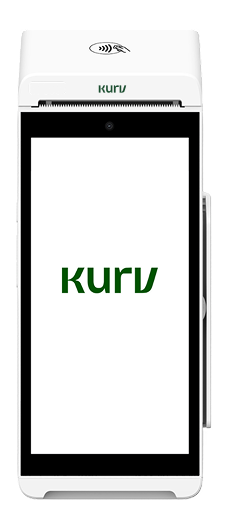
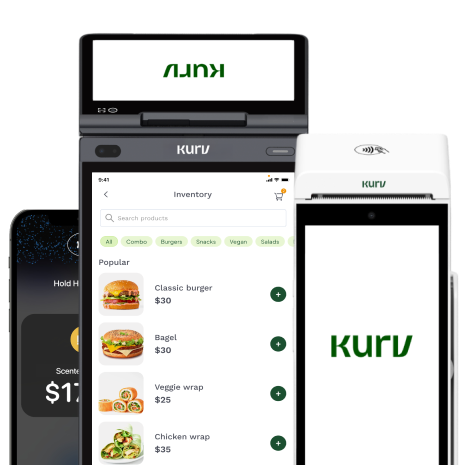
Kurv offers several ways to start accepting contactless payments, so you can pick the setup that fits how and where you do business. Tap to Pay is included with every Kurv account at no extra cost, so a compatible phone can start taking contactless payments right away. Accounts also come with QR code payments and a free virtual terminal, and the All-in-One Terminal and Handheld Smart Terminal are available if you’d rather use dedicated hardware.
Pricing is based on your business’s risk profile, and dual pricing is available to offset processing costs. Many low-risk businesses can apply online and receive automatic approval. Once you’re set up, the Kurv Merchant Portal and Merchant App let you manage payments, invoices, and reporting, with built-in fraud and chargeback prevention tools. If you’re adding contactless for the first time or rethinking how you take payments, you can compare Kurv’s options and pricing before you apply.
Ready to Grow Your Business?
Apply and start accepting payments within a day

Frequently Asked Questions
What is an example of a contactless payment?
A contactless payment could be tapping a contactless debit card at a coffee shop or holding an iPhone with Apple Pay near a payment reader. In both cases, near-field communication (NFC) allows the card or device to exchange payment information wirelessly with the reader over a short distance.
How do I know if my card or terminal is contactless?
Look for the contactless indicator, which resembles four curved lines, on your card or payment terminal. For merchants, you can also check your terminal’s specifications to confirm it supports NFC or EMV contactless payments. If it does, check with your processor to make sure contactless acceptance is enabled.
Is tapping safer than inserting a chip card?
Tapping and inserting an EMV chip card offer comparable security, and both are significantly more secure than swiping a magnetic stripe. EMV transactions use dynamic, transaction-specific security data that makes captured information difficult to reuse. Mobile wallets can provide additional protection through tokenization and device-level authentication.
Do businesses pay more for contactless payments?
Generally, no. A contactless tap is processed as a card-present transaction and doesn’t carry an extra interchange surcharge simply because the customer taps instead of inserting their card. Processing costs depend more on factors such as the card type, interchange category, merchant type, and your payment processor’s pricing model.
What is the contactless payment limit in the US?
There isn’t one universal contactless payment limit in the U.S. Card issuers, networks, and terminal configurations determine when additional cardholder verification is required. Mobile wallets can often handle higher-value contactless transactions because authentication such as Face ID, a fingerprint, or a device passcode can satisfy the verification requirement.
Why did a contactless payment get declined?
If a contactless payment doesn’t work, have the customer insert their chip card instead. A tap can fail because the card was moved too quickly or held too far away, additional verification is required, the wallet wasn’t authenticated, an issuer security control was triggered, or contactless payments aren’t enabled on the terminal.
Do I need new hardware to accept contactless payments?
Usually not. If you have a relatively modern payment terminal, it may already support NFC contactless payments and need to be enabled or configured. Check the terminal’s specifications before replacing it. If you don’t have a terminal, Tap to Pay can turn a compatible NFC-enabled smartphone into a contactless payment device.

