


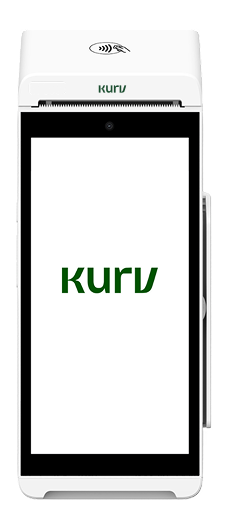
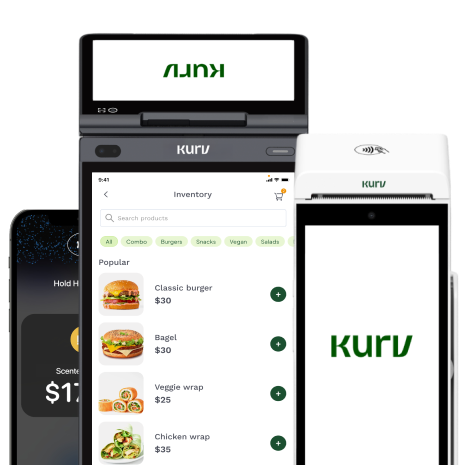



Today’s customers have more ways to pay than ever. Some customers tap a card or phone at checkout, while others would rather scan a QR code. Both count as contactless. When comparing NFC vs. QR code payments, NFC is generally faster and more secure at the counter, while QR codes are inexpensive to set up and work almost anywhere. Most in-person businesses get the best results by accepting both. This guide compares speed, security, cost, and hardware, and shows which setup fits your type of business.
Key Takeaways
- NFC payments are faster and more convenient at checkout, and they’re a more familiar option for U.S. customers.
- QR codes offer flexibility with minimal hardware, making them ideal for tables, invoices, pop-ups, and on-the-go sales.
- Both NFC and QR code payments use encryption. NFC-powered tap payments are card-present and come with built-in EMV and tokenization. QR payments can also be encrypted, but businesses need to watch out for fraudulent or tampered codes.
- NFC taps are typically processed as card-present transactions, while QR code payments through online payment pages are often card-not-present. This can affect processing rates and chargeback exposure.
- You don’t have to choose between NFC and QR codes. When you offer Tap to Pay on a compatible smartphone and QR code payments, you can cater to more customers.
NFC vs QR Code Payments at a Glance
Comparing NFC vs QR code mobile payments? Here’s a quick breakdown of how they differ on checkout speed, hardware, processing, and security.
| NFC Payments | QR Code Payments | |
| How customers pay | Tap a card, phone, or smartwatch on a reader | Scan a QR code to open a payment page |
| What customers need | Contactless card, NFC-enabled phone, or smartwatch | Smartphone with a camera and internet connection |
| Checkout speed | Typically faster, with a quick tap | Usually takes longer due to scanning and completing payment |
| Merchant requirements | Contactless terminal or compatible Tap to Pay smartphone | Printed or digital QR code linked to a payment page |
| How payments are processed | Card-present | Usually card-not-present when using an online payment page |
| Security | EMV one-time security codes; mobile wallets also use tokenization | Encrypted payment pages, but QR codes can be tampered with |
| Best for | Retail counters, busy checkout lines, and in-person sales | Table-side payments, invoices, pop-ups, and mobile businesses |
What Is an NFC Payment?
Near Field Communication (NFC) is a short-range wireless technology that lets customers pay by holding a card, smartphone, or smartwatch within a few centimeters of a compatible payment reader.
Here’s how it works: the customer taps their card or device on the reader, which securely exchanges payment information using NFC. Contactless EMV payments generate a unique security code for each transaction, while digital wallets also use tokenization to protect card details. The payment is then sent for authorization, typically within seconds.
NFC payments come in several forms, including:
- Contactless credit and debit cards with Tap to Pay capabilities.
- Mobile wallets like Apple Pay, Google Pay, and Samsung Wallet.
- Wearable devices such as smartwatches that support contactless payments.
For example, when a customer uses Apple Pay at a physical checkout, the transaction uses NFC technology to communicate with the payment terminal, not a QR code.
What Is a QR Code Payment?
A QR code payment allows customers to pay by scanning a code with their smartphone camera. The code directs them to a payment page or app where they can complete the transaction using a credit card, debit card, or digital wallet.
Here’s how it works: the business generates a QR code linked to a payment page, invoice, or payment link, and the customer scans it to review the amount and pay. Businesses can use two types of QR codes: static codes, which stay the same and can be printed on signs, and dynamic codes, which are generated for individual transactions with the payment amount already filled in.
QR code payments for business are particularly useful in situations where a traditional payment terminal isn’t convenient. Common examples include table-side payments, printed invoices and receipts, signage at pop-ups and food trucks, and pay-at-the-door for field services.
While both NFC and QR codes enable contactless payments, they offer different checkout experiences. These differences become especially clear when comparing speed and convenience.
Speed and Customer Experience at Checkout
When it comes to checkout speed, NFC has the advantage. Customers tap their card, phone, or smartwatch on a payment reader, and the transaction is typically completed within seconds. There’s no need to open an app, scan a code, or enter payment details.
QR code payments involve a few more steps. Customers need to unlock their phones, open their cameras, scan the code, wait for the payment page to load, and confirm the transaction.
NFC also has the advantage of familiarity, as contactless cards and mobile wallets are widely used in the United States. Data from Visa shows that tap payments accounted for 66% of all face-to-face Visa transactions in the U.S. in fiscal 2025.
That said, QR codes can make checkout easier away from the register. For example, restaurant guests can scan a code to pay at their table without waiting for their server. Depending on the payment system, they can also add tips or split the bill directly from their phones.
QR codes also work on smartphones without NFC capabilities, as long as the customer has a camera and an internet connection. However, weak cell signals, dead phone batteries, and unfamiliarity with QR payments can create friction at checkout.
Ultimately, NFC is usually the better option for fast, high-volume transactions at the counter. QR codes, meanwhile, give customers more flexibility to pay wherever they are, whether that’s at a restaurant table, from an invoice, or at a pop-up event.
Is NFC or QR Code More Secure?
NFC payments come with stronger built-in security. QR code payments can also be secure, but their protections depend on the payment platform and checkout process. Businesses that display QR codes publicly also need to watch for tampering and fraudulent links.
NFC payments have several built-in security features. For starters, NFC works over a very short distance, which limits opportunities for remote interception. Contactless EMV payments also generate a unique security code for each transaction; data can’t simply be reused to authorize another payment. Mobile wallets like Apple Pay and Google Pay add another layer of protection through tokenization, which replaces the actual card number with a digital token. They also support device authentication methods such as Face ID, fingerprint, and passcode.
QR code payment security works differently. Legitimate payment pages use encryption to protect sensitive information during transmission. However, the QR code itself doesn’t provide the same payment security features as NFC.
One of the biggest risks is QR code tampering, sometimes called “quishing.” Fraudsters can replace legitimate QR codes with malicious ones or place fake stickers over printed codes. When customers scan them, they’re directed to fraudulent websites designed to steal payment information or redirect payments. The threat is serious enough that both the Federal Trade Commission (FTC) and the FBI have issued public warnings about tampered QR codes.
How to protect your business from QR code fraud
If your business accepts QR code payments, here’s how you can reduce fraud risk:
- Use dynamic QR codes when possible. Generate unique codes for individual orders or invoices rather than relying solely on a permanent printed code. This can make it easier to verify that payments match the correct transaction.
- Inspect printed QR codes regularly. Check signs, menus, and payment displays for suspicious stickers or signs of tampering.
- Use branded payment pages. Direct customers to a secure payment page that clearly displays your business name and recognizable branding.
- Enable additional payment authentication. Look for providers that support security features such as 3D Secure, which can help verify customers during online card transactions.
- Offer NFC as an alternative. Give customers the option to tap their card or device if they’re uncomfortable scanning a QR code.
Choosing a payment provider with built-in fraud prevention tools can also help protect your business. Kurv offers fraud-prevention features, with additional authentication options, such as 3D Secure, available on eligible plans.
Cost: Hardware, Setup, and Processing Fees
When comparing NFC vs QR code payments, you’ll want to consider hardware, software, and payment processing fees.
Hardware costs: QR code payments are generally cheaper to set up because you don’t need a card reader. You can print a QR code or display one on a screen. NFC payments traditionally required a contactless payment terminal, but that’s no longer your only option. With Tap to Pay technology, you can accept contactless payments directly on a compatible smartphone without purchasing additional hardware.
Software costs: Depending on your payment provider, NFC and QR code capabilities may be included in your existing plan or require an additional subscription. Check what’s included before signing up.
Processing fees: The technology itself doesn’t necessarily determine your processing costs. What matters is how the transaction is processed, your payment provider’s pricing structure, and the type of card used.
Card-present vs card-not-present: why it matters
One of the biggest differences between NFC and QR code payments is how transactions are classified. NFC tap payments, whether on a payment terminal or a Tap to Pay–enabled phone, are generally processed as card-present transactions. QR code payments that send customers to an online checkout page to enter their card details are typically classified as card-not-present. However, some QR code payments run through app-based or account-to-account systems instead, which may be classified differently.
Why does the difference matter? Card-not-present transactions often incur higher interchange fees and greater exposure to fraud and chargebacks because a physical reader doesn’t verify the card. Both Visa and Mastercard publish U.S. interchange schedules that distinguish between card-present and card-not-present transactions. These schedules show how processing costs can vary based on factors like transaction type, card category, and merchant classification.
So if you see a high volume of in-person transactions, NFC may be the more cost-effective option over time. QR codes are still a useful, low-cost addition.
Ultimately, the best approach is to compare your provider’s actual rates for both payment methods. Look for transparent pricing that clearly outlines processing fees, software costs, and any additional charges.
What You Need to Accept Each
Setting up NFC and QR code payments is fairly straightforward. The equipment and software you’ll need depend on how and where your business accepts payments.
For NFC payments, you have three main options:
For NFC payments, you have three main options:
- Countertop or all-in-one terminals: Ideal for retail stores and other businesses with a fixed checkout location.
- Handheld smart terminals: Portable devices that let you accept payments at restaurant tables, in checkout lines, or at customer locations.
- Tap to Pay on smartphones: Turns a compatible NFC-enabled smartphone into a contactless payment reader.
For QR code payments, you’ll need:
- A payment link or hosted payment page: A secure page where customers can complete their transactions.
- A QR code: A code linked to your payment page that you can print on signs or display digitally.
- Invoice QR codes: Codes added to invoices or receipts so customers can scan and pay later.
NFC and QR code payments setup checklist
Once you’ve decided which payment methods to offer, follow these steps to get started:
- Choose a payment provider. Look for one that supports both NFC and QR code payments under a single account.
- Set up NFC payments. Download your provider’s merchant app on a compatible smartphone or configure a contactless payment terminal.
- Generate your QR codes. Create QR codes that link to your payment page or to individual invoices.
- Prepare your checkout locations. Display QR codes at counters, tables, or other payment points, and train your staff to accept both payment types.
- Test both payment methods. Run a test transaction using NFC and QR codes to make sure everything works before accepting customer payments.
For example, Tap to Pay in the Kurv Merchant App works on both iPhone and Android.
NFC or QR Code: Which Fits Your Business?
The QR code vs NFC decision comes down to where and how your customers pay. Both have their advantages, and the right choice depends on your checkout setup and business needs.
Here’s a quick decision tree to help you choose:
1. Do customers pay at a counter or register?
- Yes → Lead with NFC (tap) for faster checkout. Add QR codes as a backup payment option.
- No → Move to the next question.
2. Do customers pay at a table, in a line, or through an invoice?
- Yes → Add QR codes so customers can pay from their own phones, and keep NFC available for faster transactions.
- No → Move to the next question.
3. Do you sell on the go, such as through field services, food trucks, pop-ups, or events?
- Yes → Use Tap to Pay on a compatible smartphone alongside a printed QR code. This lets you accommodate a wide range of customers without purchasing a separate payment terminal.
Best payment methods by business type
Different businesses have different checkout needs. Here’s how NFC and QR code payments can fit into your operations.
| Business Type | Recommended Payment Setup |
| Retail stores | Use NFC at the counter, and place QR code signage near the line for busy periods. |
| Quick-service restaurants and bars | Accept NFC for counter and drink orders. Use QR codes for table-side payments, tipping, and split checks. |
| Field and skilled services | Let technicians accept Tap to Pay on their smartphones. Add QR codes to invoices for customers who prefer to pay later. |
| Salons and wellness businesses | Offer NFC at checkout and QR codes on appointment invoices or receipts. |
| Food trucks, pop-ups, and events | Display QR codes for easy, low-cost setup and use Tap to Pay to keep lines moving. |
| B2B businesses | Include QR codes on invoices so customers can quickly access a payment page and pay by card. |
Accepting NFC and QR Codes in One Checkout
When it comes to NFC vs QR code payments, you don’t necessarily have to choose one over the other. NFC offers a faster, more secure checkout experience at the counter, while QR codes make it easier to accept payments at tables, through invoices, and on the go.
If you run a retail store, restaurant, bar, field service business, or pop-up, it’s worth looking at your current payment setup. Whether you’re still using an older terminal, only accept one type of contactless payment, or want to give customers more flexibility, supporting both NFC and QR codes can help you improve the checkout experience and avoid missed sales.
With Kurv, you can accept Tap to Pay through the Kurv Merchant App, add QR code payments with the Scale plan or as an add-on, and manage every transaction from one dashboard. Kurv also offers transparent pricing and fast approvals for most low-risk businesses, making it easier to get started with contactless payments.
Ready to Grow Your Business?
Apply and start accepting payments within a day

Frequently Asked Questions
What’s the main difference between NFC and QR code payments?
NFC payments use short-range wireless technology to transmit payment information when a customer taps their card or device on a reader. QR code payments work by having customers scan a code with their smartphone camera, which directs them to a payment page to complete the transaction.
What if a customer’s phone doesn’t have NFC?
Customers can still pay using a contactless credit or debit card, insert a chip card into a compatible terminal, or scan a QR code using their smartphone camera. Offering both NFC and QR code payments gives customers more flexibility, regardless of their phone’s capabilities.
Do credit cards use NFC or RFID?
Contactless credit cards use NFC, a short-range form of RFID technology designed for secure communication between cards and payment readers. NFC operates within a few centimeters, making payment information harder to intercept from a distance.

